How to Restore Old Family Photos with AI (2026)
Why old photos feel “gone”
A faded print is not just low contrast. Time adds yellowing, creases, scratches, and soft faces that no longer look like the people you remember. Scanning the print into a phone helps a little — but the damage is still in the pixels.
Old photo restore tools use AI to reverse some of that aging: clean marks of time, recover facial detail, and optionally colorize black-and-white or color-shifted photos. Done well, the result still looks like your photo — not a plastic filter.
Drag the slider to compare before & after (demo)
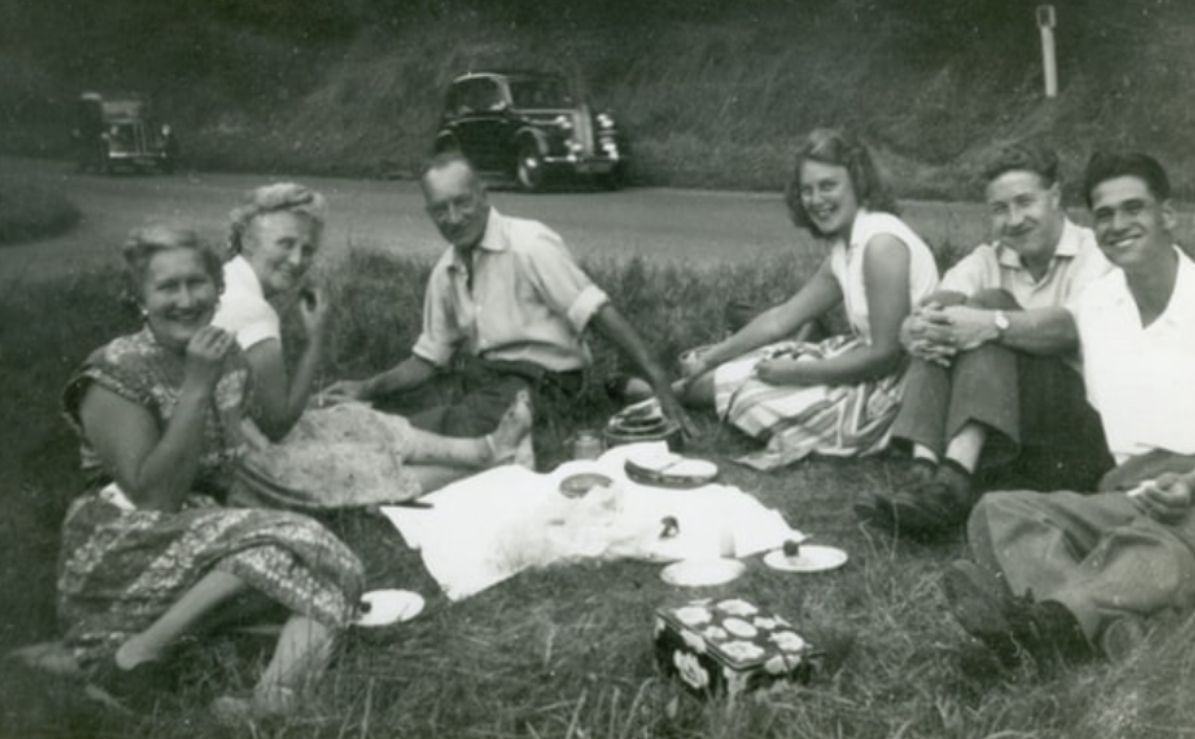
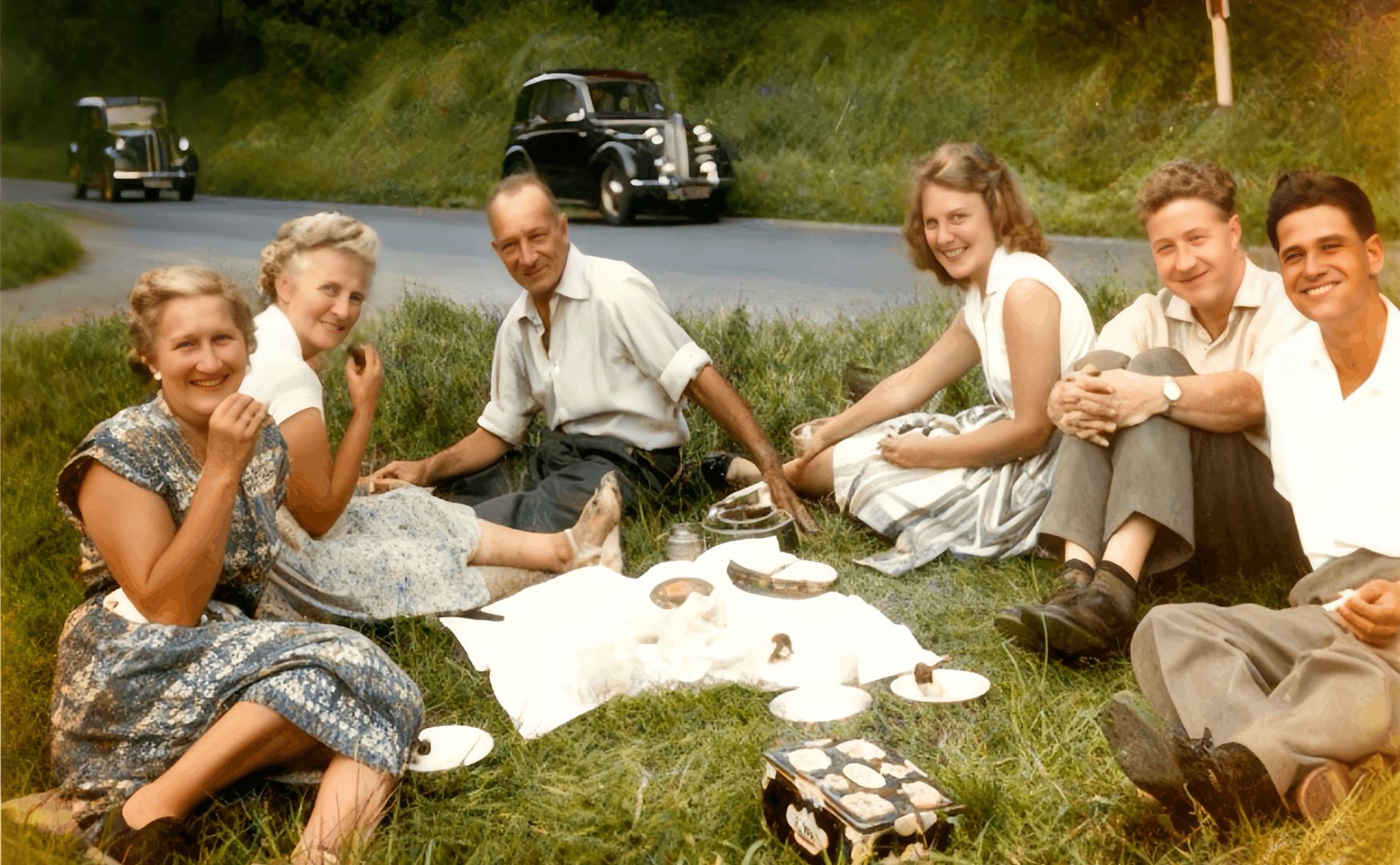
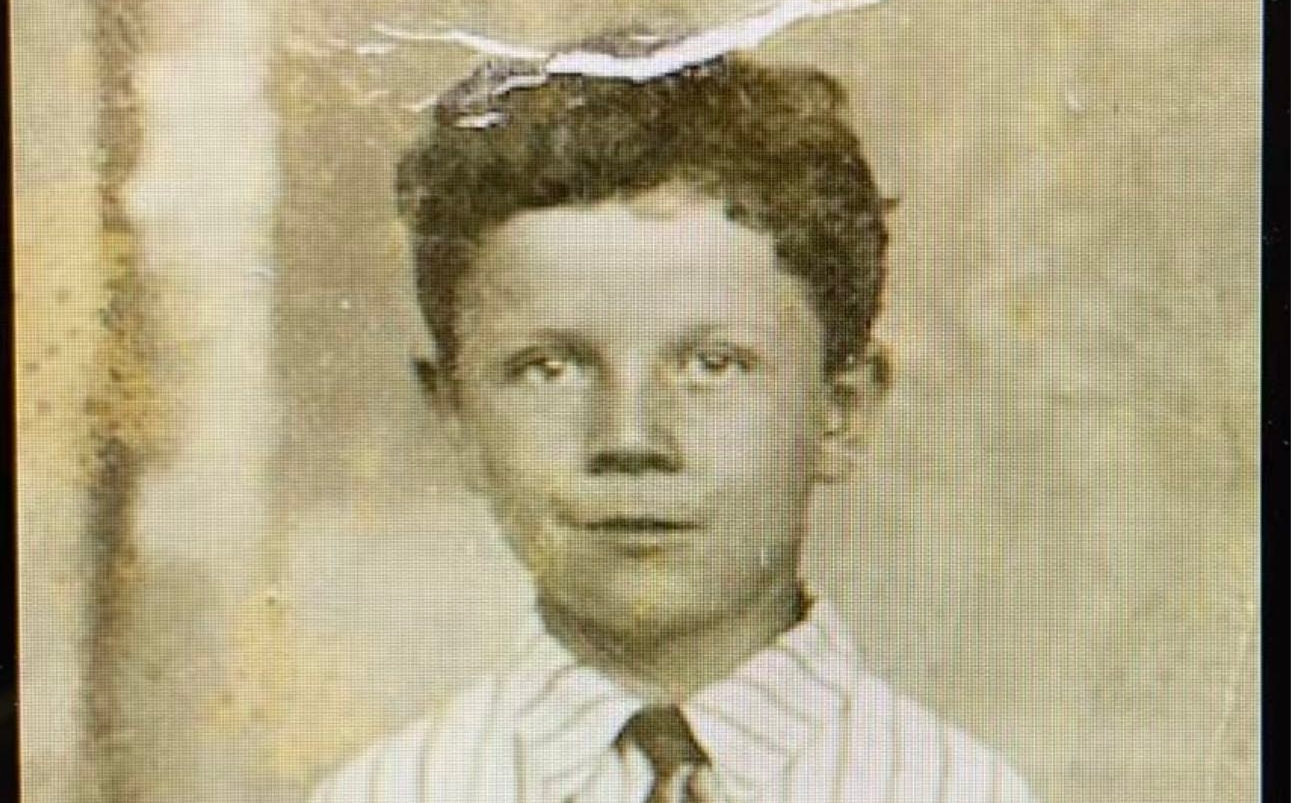

Sample from Streakly Workshop old photo restore
What “good” restoration looks like
Before you pick a tool, decide what you want:
| Goal | What to look for |
|---|---|
| Readable faces | Gentle face recovery, not over-smoothed skin |
| Less damage | Softens scratches / creases without inventing fake texture |
| Color | Optional colorize for B&W or badly faded color prints |
| Privacy | Process and return — don’t keep your family archive on a server |
| Honest pricing | Clear cost per restore (not a vague “free forever” trap) |
Streakly’s Old Photo Restore is built around that last point: sign in required, points per restore, JPG download when done. Files are processed in memory and not kept after the request.
Step 1: Get a decent scan
AI cannot invent detail that was never captured. For best results:
- Use the highest-resolution scan you have (flatbed if possible; phone photo in even light if not).
- Avoid heavy glare and extreme perspective warp.
- Prefer JPEG / PNG / WebP under 10 MB for upload.
- If the print is torn, photograph the whole piece first — restore works on the image you upload.
Step 2: Restore on Streakly Workshop
- Open Old Photo Restore (also linked from Workshop).
- Sign in to your Streakly account.
- Upload the photo and choose Standard or Premium (different point costs).
- Optional: enable AI colorize for black-and-white or color-faded prints.
- Wait about 1–2 minutes, then download the restored JPG.
The slider above uses the same demo pairs as the tool page — drag to compare.
Standard vs Premium (quick guide)
- Standard — everyday faded scans; lower point cost; good first pass.
- Premium — harder damage or when you want a stronger recovery pass; higher point cost.
If you only need a readable face for a family chat, start with Standard. For a print you plan to reprint or frame, try Premium.
Points packs are available on the signed-in Points page.
Colorize: when to turn it on
- Black-and-white originals — colorize can add plausible color.
- Faded / color-shifted color prints — the pipeline may convert to B&W first, then recolor (you’ll see a note when that happens).
- Keep original tones — leave colorize off.
Colorize is optional. Restoration of scratches and clarity still runs without it.
Privacy in one sentence
Your upload is processed for that request and not stored as a lasting archive on our servers. Still: don’t upload photos you wouldn’t trust any online tool with.
Common questions
Is old photo restore free?
No. Streakly Workshop restore requires sign-in and points per run. That keeps the pipeline sustainable and avoids bait-and-switch “free” marketing.
Will it look fake?
Strong AI can over-smooth faces. Prefer a tool that offers fidelity controls and a clear before/after. If a result looks plastic, try again with higher fidelity / a lighter pass, or keep the original for comparison.
Can I restore many photos?
Yes — each restore spends points. Buy a pack when you have a box of prints to work through.
Next step
Ready to try one print from the drawer?
→ Restore an old photo · or browse Streakly Workshop
Ready to start tracking?
Try Streakly free — embed a beautiful heatmap in Notion in 30 seconds.
Related Articles
Study Streak Tracker Apps Compared (2026)
Study streak tracker compared: 5 tools from ring counters to GitHub-style heatmaps for Notion. See your whole semester at a glance — free embed demo included.
Coding Tracker & Streak Counter Apps Compared (2026)
Coding tracker vs streak counter: compare 5 tools with GitHub-style heatmaps, private NoFap tracking & Notion embeds. Free interactive demo included.
How to Make a Habit Tracker in Notion (2026 Guide)
How to make a habit tracker in Notion: database DIY vs embed a GitHub-style heatmap with /embed. Step-by-step, free, about 90 seconds — click cells to log inside Notion.